Organic Traffic Dropping? AI Overviews May Be The Cause
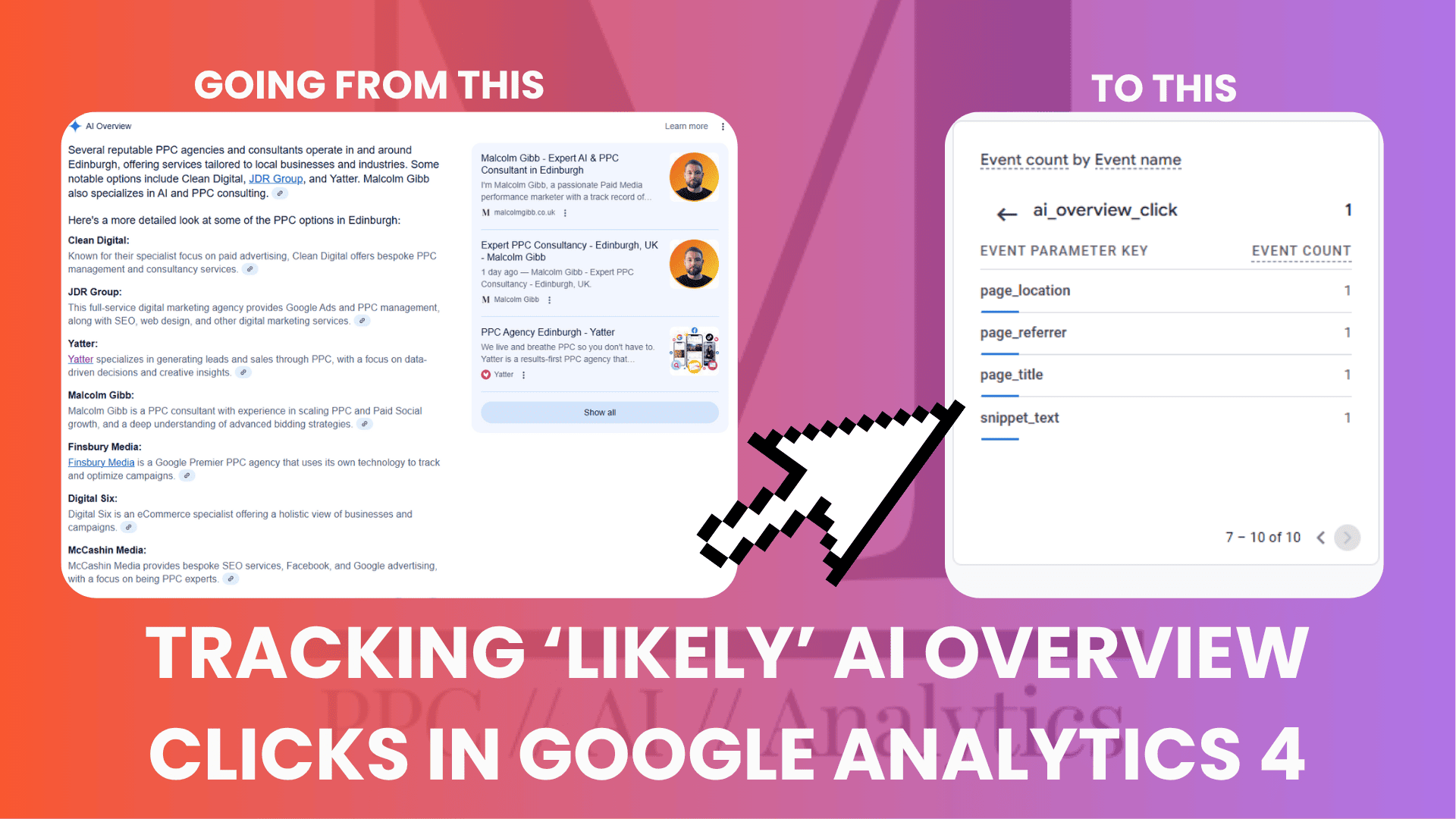
With Google’s AI Mode rolling out and AI Overviews becoming standard in the SERPs, a growing share of user click journeys are now starting through these AI-generated summaries. But here’s the downside: these aren’t your typical organic clicks, and they’re virtually invisible in Google Analytics 4 or Google Search Console.
In GA4, you may have noticed a gradual decline in organic sessions or an uptick in direct or referral traffic. That’s not coincidence. AI Overview clicks aren’t pulling through referrals or source/medium data, meaning GA4 can’t categorize them properly. Google isn’t surfacing this data (yet), but it’s already skewing performance reporting, especially for content-led acquisition strategies.
There are visibility tools out there – SEMRush, Ahrefs, and others, that can show whether your site appears in an AI Overview. But they don’t answer key questions like:
- How many clicks am I actually getting from AI Overviews?
- What content from my site is being used to generate these overviews?
These are critical questions if we want to understand, adapt to, and optimise for AIO-driven traffic.
I’ve found two ways of trying to track AI Overview exposure and clicks:
1) AI Automation hooking into SerpAPI data to pull back who appeared in an AI Overview for a given query and the content.
2) A Scrappy GA4 method of tracking potential AI Overview clicks into site using the text fragment in the URL
Both of these methods are in no way a means to an end, but will give you deeper visibility than what you have right now.
The #:~:text= Fragment
This may be common knowledge to some, I’m not sure – but you can try this yourself. Most links cited within an AI Overview will use a text fragment from your own website to generate its own description snippet.
A text fragment will typically look like this:
malcolmgibb.co.uk/ppc-consultant-edinburgh#:~:text=I%20Help%20Businesses%20Scale%20With%20Expertly%20Managed
The #:~:text= is not a query parameter, but a fragment which exists client-side. Appended to the fragment is the exact piece of text that Google has used to generate an AI Overview snippet of your site or page.
When you click through on a URL like this, it will automatically take you to the fragment text on the page.
Now, here are some pitfalls to this proposed solutions:
- Not every AI Overview has an appended text fragment – in around 50% of cases I have found text fragments – so it is not a bulletproof solution
- Text fragments are client-side and usually stripped out of the URL fast – so it’s hard to extract unlike a query parameter such as UTM variables for instance
- Your server rules may strip them out completely before there is time to capture them
If we are able to extract the #:~:text= fragment, then we can in some certainty infer that a click originated from an AI Overview result – and we can also use the extracted fragment to understand what Google is matching an AI result to on our page to drive optimisations.
Tracking AI Overview Clicks in Google Analytics 4: Solution
Disclaimer here: This may or may not work in your setup or website situation, and it is a relatively scrappy way to pull in data to GA4 – but the end result should work to a degree.
What you need:
- A Google Tag Manager setup
- A Google Analytics 4 account
- Some basic coding knowledge (mainly for debugging)
In summary – this solution will:
- Use Javascript to extract the whole url immediately via the Performance API
- Check if there is a #:~:text fragment that exists
- Extract the text fragment
- Fire a GA4 event if the fragment exists
- Push the actual snippet of text into a parameter value of the GA4 event
Set up a Custom Javascript Variable in Google Tag Manager
- Go to GTM > Variables and set up a new custom variable of type: custom Javascript
- Use the code below:
function() {
var nav = performance.getEntriesByType('navigation')[0];
var match = nav && nav.name.match(/#:~:text=([^&]+)/);
return match ? decodeURIComponent(match[1]) : undefined;
}
This Javascript will get the whole URL, check if there is a fragment and then extract the fragment. Is nothing is there it will return ‘undefined’.
- Save your variable

Set up a Trigger in Google Tag Manager
- Next, go to ‘Triggers‘ and create a new trigger
- Trigger Type: Page View – DOM Ready
- (You can use on Window Load – however DOM seems to be more reliable)
- On Some DOM Ready Events
- Search for the variable you just created and use does not equal ‘undefined’
- Save the trigger

Set up a New Google Analytics 4 Event Tag
- Next, go to Tags and create a new tag
- Type: Google Analytics 4 Event
- Input your measurement ID (GA4 ID) or ID variable
- Type in a new descriptive event name e.g. ai_overview_click
- Under event parameters create a descriptive parameter name e.g. ‘snippet_text’ – and then for the value use your variable
- You may want to include other parameter event values here or tag settings

Publish & Test
- Publish the container
- Use Google Tag Manager preview mode with a fragment url e.g. test yoururl/#:~:text=sometext in preview
- Check the DOM load section and go to Variables – if the fragment has been extracted you should see this in the variable under whatever you named your JS variable
- Another way to check is live within Devtools console in Chrome
- Craft your url with a text fragment e.g. yoururl/#:~:text=sometext and paste this into the browser. Quickly go to inspect > console and copy this command in
console.log('Extracted snippet:', (function(){
  const nav = performance.getEntriesByType('navigation')[0];
  return nav && nav.name.match(/#:~:text=([^&]+)/) ? decodeURIComponent(nav.name.match(/#:~:text=([^&]+)/)[1]) : 'Not found';
})());
If the command returns an extracted snippet then the variable has worked, and if setup correctly the tag and trigger should have fired.
GA4 Event Scoped Custom Dimension
- Once you know the tag is working go to GA4 > Admin > Data Display > Custom Definitions
- Setup a new custom dimension
- Use the event name you setup previously e.g. ai_overview_click

Test again, this time use Real-Time reporting in GA4 and re-enter the url with a fragment appended. You should start to see events trigger in the real-time report like the following, along with the event parameters of the snippet_text that was set up.

And… that’s it. That’s how we extract the text fragment from a likely AI Overview click, whilst also pulling in the exact text that was used by the AI for analysis further down the road.
If this doesn’t work out of the box, some debugging and trial and error may be needed. Personally, it took a whole day of debugging to get this working – mainly due to the fact that fragments get stripped out fast and are not similar to query parameters when it comes to tracking and pushing data in.
There are possibly other ways of tracking AI Overviews in GA4, I would love to hear them if anyone has a better way!